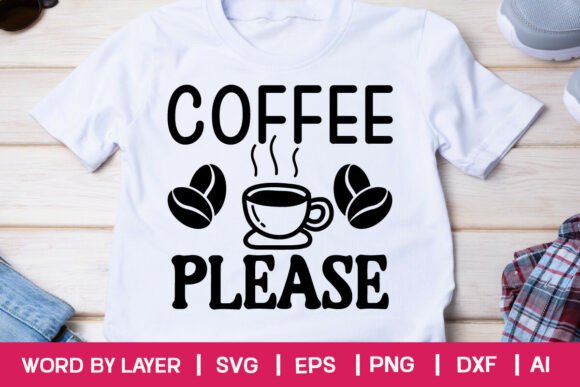
Coffee Please: A Practical Design Asset for Real-World Workflow Integration
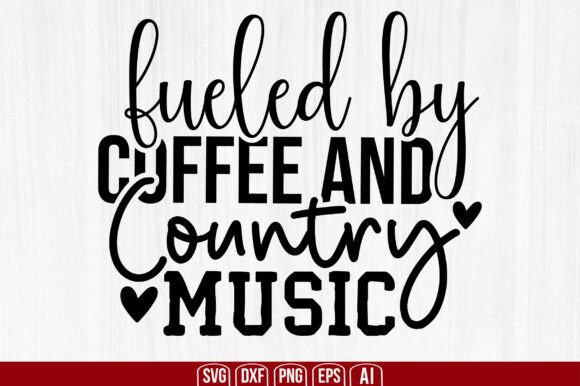
“Coffee Please” isn’t a slogan or a mood—it’s a ready-to-use, production-grade design asset built for people who move fast but don’t cut corners. It’s a layered, word-by-layer SVG file set designed for precision cutting, digital publishing, and scalable reuse across platforms and projects. Unlike generic clipart or low-res downloads, Coffee Please delivers vector integrity, transparency-ready assets, and cross-software compatibility—so it integrates cleanly into your existing tools rather than forcing you to adapt your process around it.
What You Actually Receive—and Why File Variety Matters
Your download is a single .zip file containing six distinct, purpose-built files:
- 1 AI file: The native Adobe Illustrator source—fully editable layers, live text, and embedded fonts (where applicable). Use this when refining typography, adjusting spacing, or preparing final print-ready artwork.
- 1 SVG file: Optimized “word by layer” structure—each letter or element sits on its own layer, enabling selective activation in Cricut Design Space, Silhouette Studio, or Inkscape. Ideal for multi-step cutting, color separation, or animation sequences.
- 1 PNG file: 300 DPI, transparent background, RGB color space. Drop it directly into presentations, social posts, email headers, or learning modules without background cleanup or resolution guesswork.
- 1 EPS file: Legacy-compatible, editable vector format. Use with older versions of Illustrator or when exporting to print vendors requiring EPS compliance.
- 1 DXF file: Precision geometry for CNC routing, laser engraving, or CAD-based fabrication workflows where vector path fidelity is non-negotiable.
- 1 JPEG file: High-quality, web-optimized preview—useful for quick client proofs, internal documentation, or platform uploads that don’t accept SVG or PNG.
This isn’t over-engineering. It’s anticipating real-world handoffs: the designer handing off to a sign shop (DXF), the educator embedding into a slide deck (PNG), the small business owner prepping a Cricut order (SVG), or the freelancer submitting final art to a printer (AI + EPS). Each file serves a specific interface in your workflow—not just a format list.
Where Coffee Please Fits in Your Process
Coffee Please functions best when treated as a modular component—not a standalone solution, but a reliable node in a larger system. Its value emerges most clearly at three points:
Before Execution: Planning & Prototyping
When sketching out a product launch, workshop banner, or branded merchandise line, having a clean, layered “Coffee Please” asset lets you mock up layouts quickly in Figma, Illustrator, or Canva. Because layers are separated by word (not stroke or fill), you can test hierarchy—hide “Please”, keep “Coffee” bold and oversized, add a custom icon beside it—without rebuilding from scratch. This reduces early-cycle iteration time and keeps visual direction grounded in actual assets, not placeholder text.
During Production: Cutting, Printing, and Publishing
If you’re using a Cricut or Silhouette, the SVG’s layer structure means no manual ungrouping or path reconstruction. You can assign different materials or cut settings per word—e.g., “Coffee” in matte vinyl, “Please” in glitter foil—directly in the software interface. For screen printing or embroidery prep, the AI or EPS files let you isolate outlines, adjust kerning for fabric stretch, or convert text to outlines without font dependency. No last-minute “can this be fixed?” delays.
After Delivery: Repurposing & Archiving
Because all files are vector-based and resolution-independent, Coffee Please stays usable years later—even if your software version changes or your output medium shifts. That PNG used in a 2023 Instagram post works just as well in a 2025 PDF report. The AI file remains editable if you need to rebrand (swap colors, update weight, add a tagline), and the DXF ensures long-term manufacturability across evolving hardware. It’s built for continuity, not one-off use.
Compatibility Without Compromise
Coffee Please works where you already work—not where a vendor hopes you’ll go. It’s tested across:
- Cricut Design Space: Layer names preserved; no flattening required.
- Silhouette Studio (v5+): Imports cleanly with layer visibility intact.
- Inkscape: Full layer support via SVG import; paths remain editable.
- Adobe Photoshop: Opens as smart object (via AI/EPS) or high-res raster (PNG/JPEG) with full transparency.
- Adobe Illustrator: Native editing—no conversion loss, no missing fonts, no broken links.
No “may work” disclaimers. No hidden rasterization. If your tool reads standard vector or high-res raster formats, Coffee Please integrates without friction. That predictability saves time during setup, troubleshooting, and client handoff—especially when working under deadline pressure or across distributed teams.
Practical Implementation Tips
Here’s how experienced users consistently get more out of Coffee Please:
- Name layers before cutting: In Cricut or Silhouette, rename layers to match material type (“Coffee – Matte Vinyl”, “Please – Glitter Foil”) so settings persist across sessions.
- Use the AI file for global adjustments: Change color mode (CMYK vs. RGB), apply consistent stroke weights, or batch-export variants (light/dark mode, horizontal/vertical layout) from one source.
- Store the .zip with version notes: Add a simple text file inside noting date, software version used, and any custom edits made—critical for long-term consistency across campaigns or team members.
- Test cut first on scrap material: Even with precise vectors, blade depth and material thickness vary. Run a single-word test cut before committing to full production.
- Export PNGs at exact dimensions needed: Don’t scale after export—set canvas size in Illustrator first, then export at 300 DPI. Avoids pixelation in printed handouts or large-format displays.
Long-Term Usability Considerations
Coffee Please is designed for repeated, reliable use—not just a single project. That means attention to scalability (vector math holds at any size), accessibility (clean paths, no embedded raster artifacts), and interoperability (no proprietary extensions or locked layers). It also means no reliance on cloud fonts, subscription services, or external dependencies. Once downloaded, it’s yours—fully portable, fully controllable.
For educators building course materials, that means reusing the same asset across slides, handouts, and LMS banners without licensing concerns. For freelancers, it means delivering production-ready files to clients without follow-up requests for “the original vector.” For small business owners, it means ordering custom signage, apparel, or packaging today—and updating it next year with the same foundational asset.
It’s not about owning more files. It’s about owning the right files—one that aligns with how you actually work, not how a template assumes you should.