Kids Bella Canvas 3001Y T-shirt Mockup 3: A Practical Choice for Youth Apparel Visuals
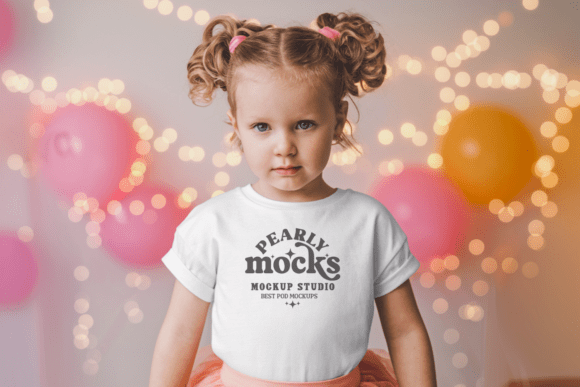
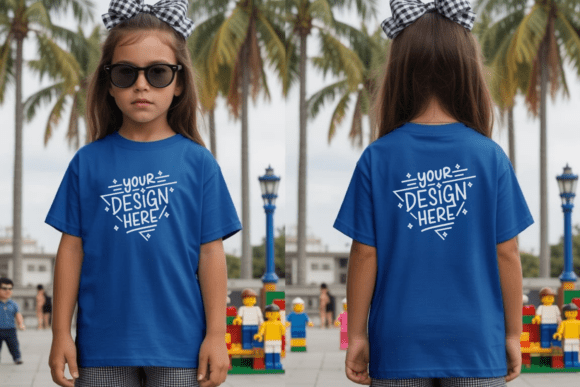
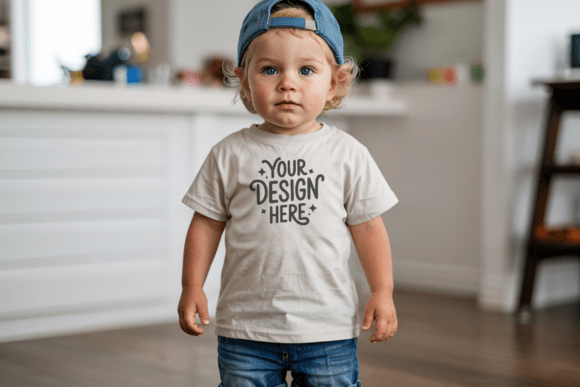
The Kids Bella Canvas 3001Y T-shirt Mockup 3 is a digital asset designed specifically to present artwork on youth-sized, soft-style cotton tees. Unlike generic mockups or adult-focused templates, this version reflects the proportions, drape, and fit of the Bella Canvas 3001Y youth cut — a widely used blank in print-on-demand and small-batch apparel businesses. It’s not a design tool or editing software; it’s a high-fidelity visual layer that lets creators place their graphics onto a realistic representation of a child’s t-shirt, front and back, with natural lighting and minimal background distraction.
What Sets This Mockup Apart From Other Youth T-shirt Options
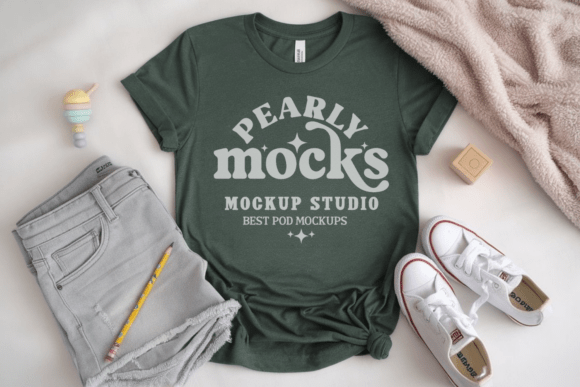
Many youth t-shirt mockups use stretched or artificially smoothed fabric textures, overly saturated colors, or inconsistent sleeve-to-body ratios. The Kids Bella Canvas 3001Y T-shirt Mockup 3 avoids those pitfalls by modeling the actual garment’s relaxed fit, slightly tapered waist, and softer neckline — features that distinguish the 3001Y from stiffer or boxier youth blanks. Its “natural light-themed” styling means shadows fall gently, folds read authentically, and the black shirt renders deep but not crushed, preserving detail in darker designs.
This mockup delivers only one JPG file — no layered PSDs, no smart objects, no multi-angle variants. That simplicity is intentional: it prioritizes speed and compatibility over customization depth. Designers using Canva, Affinity Photo, or even basic image editors can open it, drop in artwork, resize, and export without wrestling with blending modes or clipping masks. For someone managing dozens of listings across Etsy, Redbubble, or Shopify, that streamlined workflow matters more than granular control.
Comparing Formats and Use Cases
When evaluating youth t-shirt mockups, format and flexibility are key decision points. Some alternatives offer layered Photoshop files with editable lighting, fabric texture overlays, or pose variations (e.g., side views or model shots). These are valuable when building branded lookbooks or presenting to clients who expect polished, lifestyle-oriented visuals. But they demand more time, technical familiarity, and consistent color management — especially when matching screen previews to printed output.
In contrast, the Kids Bella Canvas 3001Y T-shirt Mockup 3 trades that versatility for reliability and accessibility. Because it’s delivered as a single high-resolution (300 DPI) JPG, there’s no risk of missing layers or incompatible fonts. There are no watermarks to remove or licensing restrictions tied to commercial use — a meaningful factor for designers selling SVG bundles or POD storefronts. It also avoids the subtle inconsistencies sometimes seen in AI-generated mockups, where stitching lines misalign or sleeve curvature doesn’t match real-world garment construction.
Strengths and Real-World Fit
This mockup excels in three practical scenarios:
- Etsy and marketplace sellers who need clean, consistent thumbnails and listing images fast — especially when uploading multiple designs across age groups;
- SVG creators targeting children’s niches (e.g., educational themes, animal motifs, birthday graphics) and wanting to show how their cut files translate onto actual youth tees;
- Small studios or solo designers launching seasonal collections and needing trustworthy visuals without hiring a photographer or investing in studio lighting setups.
A designer working on a set of nature-themed shirts for ages 6–12 might use this mockup to preview how muted greens and earthy browns appear on the black base. Because the lighting is neutral and the fabric tone is true to life, they can assess contrast and legibility before printing — avoiding surprises like washed-out text or low-visibility details.
Tradeoffs to Consider
No mockup solves every need. The Kids Bella Canvas 3001Y T-shirt Mockup 3 doesn’t include alternate colors (e.g., heather grey or navy), sleeve lengths, or gendered variations beyond the standard youth cut. If your audience regularly requests mockups on Bella Canvas 3001Y in white or oatmeal, you’ll need separate assets. Similarly, if your brand relies on dynamic angles — say, a child holding a backpack or mid-motion — this front-and-back flat layout won’t meet that storytelling goal.
Color accuracy is another practical limitation. As noted in its usage tips, screen brightness, ambient lighting, and monitor calibration affect how the black shirt appears. What looks rich and matte on a calibrated display may appear slightly cooler or warmer on mobile devices. For precise Pantone matching or CMYK prepress checks, physical swatches or printer proofs remain essential — this mockup supports visual communication, not color-critical production handoff.
When to Choose This Mockup — and When to Look Elsewhere
Choose the Kids Bella Canvas 3001Y T-shirt Mockup 3 if your priority is clarity, speed, and consistency across a growing catalog — particularly when serving customers who value minimalist, natural-light presentation over stylized photography. It fits well alongside other Bella Canvas 3001Y resources (like adult or toddler versions), helping maintain a cohesive visual language across age ranges.
Consider alternatives if you routinely need:
- Multiple garment colors in one package — some mockup bundles include 5–10 shirt colors with identical lighting and perspective;
- Editable environmental context, such as changing background gradients, adding props, or adjusting shadow intensity;
- Model-based realism, where body shape, posture, and fabric movement reflect real wearability — useful for fashion-forward or athletic youth lines.
Also keep in mind that “Kids Bella Canvas 3001Y T-shirt Mockup 3” refers to a specific iteration — not a series or subscription. There’s no built-in update path or version history. If future releases introduce new lighting styles or updated garment scans, users would acquire them separately.
Getting Started Without Friction
The setup process aligns with its practical orientation: download, unzip, open, place artwork, scale, save. No plugins, no account logins, no recurring fees. Because it’s compatible with Canva, designers can drag their SVG or PNG directly into the canvas, use Canva’s native resize handles, and export at optimal dimensions for each platform (e.g., 2000×2000 px for Etsy, 1200×1200 px for Instagram). In Photoshop, placing artwork as a Smart Object preserves scalability without quality loss — though even basic free tools like Photopea handle this smoothly.
One subtle advantage: the lack of background elements means easy integration into branded templates. A designer using a consistent header/footer layout across all product images can overlay this mockup cleanly, without cropping or masking around distracting scenery. That uniformity builds recognition — especially important when buyers browse multiple listings from the same shop.
Making an Informed Choice
Ultimately, the value of the Kids Bella Canvas 3001Y T-shirt Mockup 3 lies in its alignment with real operational needs — not just aesthetic appeal. It assumes you already understand your target blank, know your audience’s expectations, and want to minimize friction between idea and presentation. It won’t replace professional photography for high-end campaigns, nor does it aim to. Instead, it serves as a dependable, no-surprise tool for designers who prioritize accuracy, speed, and scalability in everyday work.
If your workflow leans toward rapid iteration, cross-platform consistency, and clean visual communication — especially within youth apparel contexts — this mockup offers tangible utility. If your goals center on immersive storytelling, photorealistic variety, or advanced customization, then exploring layered or model-based options may better support your longer-term direction.