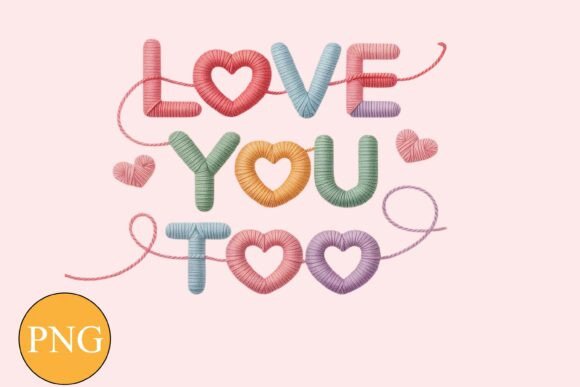
Knitted LOVE YOU TOO Valentine PNG Shirt
If you're designing custom apparel for Valentine’s Day—whether for your small business, classroom project, or handmade gift—the Knitted LOVE YOU TOO Valentine PNG Shirt is a thoughtful, ready-to-use digital asset. It’s not a physical shirt, but a high-resolution, transparent-background PNG file designed specifically for printing on fabric: think sublimation transfers, iron-on waterslide decals, or direct-to-garment (DTG) printing. Its knitted texture adds warmth and charm, making it ideal for cozy, heartfelt designs—not stiff or overly polished, but sincere and tactile.
What This File Is—and Isn’t
This is a digital instant download, delivered as a ZIP file containing one 300 DPI PNG with full transparency. That means no white or colored background—just your design, ready to layer over any shirt color or pattern in your editing software. It’s optimized for clarity at common print sizes (e.g., 8" wide for adult tees), and because it’s raster-based at 300 DPI, it scales well without visible pixelation—within reasonable limits.
But here’s where confusion often starts: This is not an SVG file. Some buyers assume “cut-ready” means “SVG,” especially if they’re used to vinyl cutting machines like Cricut or Silhouette. However, this design includes subtle knit texture and soft shadowing—details that make it visually rich but technically incompatible with clean vector cuts. Trying to convert it to SVG risks jagged edges, lost detail, or unintended outlines. If you need cut files, this isn’t the right product—and that’s okay. Knowing that upfront saves time, materials, and frustration.
Common Missteps—and How to Avoid Them
Mistake #1: Assuming universal printer compatibility.
Not all printers handle transparency or color profiles the same way. A PNG with a transparent background may render with a faint gray halo or unexpected contrast on certain inkjet models—or appear oversaturated on budget sublimation printers. Colors also shift between screens (RGB) and printed output (CMYK). What looks rosy and warm on your laptop might print slightly muted on cotton.
Better approach: Always run a test print on scrap fabric first—especially if you’re using heat-transfer vinyl (HTV) or sublimation paper. Adjust brightness/contrast in your design software *before* printing, not after. And when sharing files with a print shop, ask whether they prefer sRGB or Adobe RGB profiles—and supply the PNG as-is (no background, no flattening).
Mistake #2: Overlooking intended use cases.
This file wasn’t built for embroidery digitizing, screen printing separations, or laser engraving. Its resolution and transparency serve digital-first workflows—not multi-step production pipelines. Using it for screen printing without proper halftone conversion or color separation can result in blurry underbases or misaligned layers.
Better approach: Match the file to your process. For sublimation on polyester blends? Perfect. For waterslide decals on mugs or tote bags? Also great. For DTG on 100% cotton? Still suitable—but verify your printer’s minimum DPI requirements (most accept 300 DPI just fine). If you need embroidery or screen-print-ready art, look for professionally digitized or vector-converted alternatives instead.
Mistake #3: Ignoring scale and placement context.
Because the PNG has no background, it’s easy to forget how size and positioning affect impact. A 6" wide version centered on a youth shirt looks balanced; the same size on a plus-size tee may feel cramped. Likewise, placing it too low near the hem—or too high near the collar—can throw off visual balance.
Better approach: Use mockup tools (like Placeit or Smartmockups) to preview the design on real garment templates before printing. Or, open the PNG in free software like GIMP or Photopea, drop it onto a blank canvas sized to your target shirt (e.g., 12"x16" for standard chest print), and adjust scale until the text feels legible and proportionate—not tiny, not overwhelming.
What to Check Before You Download
- File contents: Confirm you’ll receive only the ZIP with one 300 DPI PNG—no SVGs, no EPS, no layered PSDs. That’s intentional, not an oversight.
- Background status: Double-check that “transparent background” means true alpha transparency—not a white or off-white fill masked to look clear. Open the file in a viewer that shows transparency (like Chrome or Preview on Mac) to confirm.
- Use-case alignment: Ask yourself: Will I be printing digitally (sublimation, DTG, inkjet transfers)? If yes—this fits. If you’re cutting vinyl or prepping for screen printing with spot colors, pause and explore other assets.
- Device & printer variance: Remember: colors may vary. Don’t rely solely on your monitor’s display. If brand consistency matters (e.g., matching company red), request a physical proof from your printer—or order a sample pack of printed swatches first.
Realistic Project Ideas—Without Overpromising
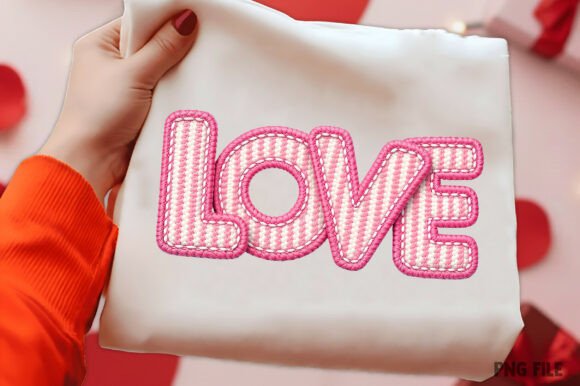
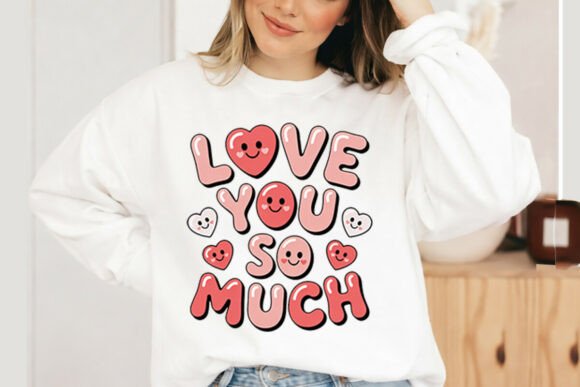
You’ll see inspirational photos showing the Knitted LOVE YOU TOO Valentine PNG Shirt on cozy sweaters, mugs, and greeting cards. Those are meant to spark ideas—not imply included backgrounds or layouts. The background images, textures, and props in those mockups aren’t part of your download. That’s standard practice for digital design assets, but it’s worth noting so you don’t spend hours hunting for a “matching heart pattern” that was never promised.
Instead, lean into what *is* included: clean, expressive typography with tactile charm. Pair it simply—with solid-color shirts, neutral tote bags, or matte-finish ceramic mugs. Let the knitted texture speak for itself. Add a handwritten date (“Feb 14, 2025”) in a complementary font, or layer it subtly over a watercolor wash (if you have that asset separately). Simplicity often communicates love more clearly than clutter.
A Final Note on Value and Expectations
Digital files like the Knitted LOVE YOU TOO Valentine PNG Shirt offer speed, flexibility, and affordability—but their value multiplies when matched thoughtfully to your skill level and tools. Beginners appreciate the plug-and-play ease. Seasoned designers value the intentional constraints: no bloated file sizes, no hidden layers, no licensing surprises. It’s a focused tool—not a Swiss Army knife.
So before clicking “add to cart,” ask: Does this solve the *exact* problem I have right now? Not “maybe someday,” but “for my next batch of Valentine’s gifts, yes.” When expectations align with reality, creativity flows smoother—and your finished pieces carry more meaning, not just more pixels.