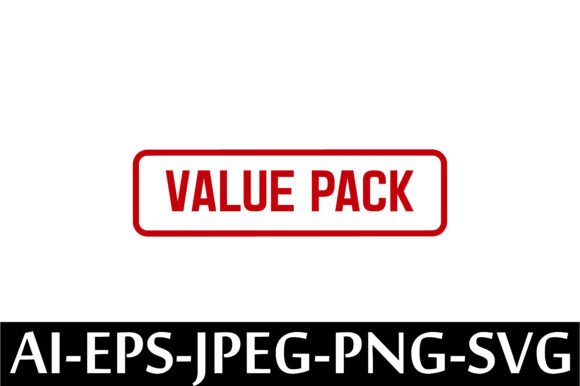
VALUE PACK Rubber Stamp Design Vector
If you’ve ever spent hours searching for clean, scalable, ready-to-use rubber stamp graphics—only to hit paywalls, licensing confusion, or low-res files—you’ll appreciate how straightforward the VALUE PACK Rubber Stamp Design Vector is. It’s not a physical stamp you hold in your hand. It’s a smart, versatile digital toolkit designed for people who need authenticity and flexibility—not friction.
This pack delivers five essential file formats: one AI (Adobe Illustrator), one EPS (universal vector compatibility), one high-resolution JPEG, one transparent-background PNG, and one SVG (ideal for web use and cutting machines). All files are compressed into a single ZIP folder—so no hunting across folders or platforms. Once downloaded, you’re ready to drop them into Canva, Silhouette Studio, Cricut Design Space, Adobe Photoshop, or even Microsoft Word—depending on what you’re building next.
When You Need Instant Credibility—Without the Wait
Imagine you’re a small business owner launching a new line of handmade greeting cards. You want that tactile “stamped” look—inked corners, vintage texture, bold typography—but printing physical stamps isn’t practical for a limited run. With the VALUE PACK Rubber Stamp Design Vector, you add that handcrafted feel digitally: overlay a “Handmade with Love” stamp on your product photo, resize it without pixelation, adjust color to match your brand palette, and export print-ready PDFs—all in under five minutes.
Or picture a teacher preparing classroom materials. Instead of manually typing “Approved,” “Needs Revision,” or “Great Work!” on dozens of student worksheets, they drop in a custom rubber stamp graphic from this pack—scaled to fit neatly in the margin, saved as PNG with transparency, and applied consistently across Google Docs or printed handouts. It saves time, adds visual rhythm, and makes feedback feel more intentional.
Real Use Cases Across Real Roles
- Freelance designers use these vectors to build branded stationery kits for clients—letterheads, invoice stamps, return address seals—without redrawing basic shapes or worrying about resolution limits.
- Educators and homeschoolers embed stamp-style badges (“Math Master,” “Science Explorer”) into digital quizzes or printable reward charts—SVG files load fast in LMS platforms like Canvas or Moodle.
- Bloggers and content creators add subtle watermark-style stamps to original infographics or social media carousels—PNGs with transparency layer cleanly over photos; SVGs scale perfectly on mobile previews.
- Small-batch makers (soap labels, candle tags, embroidery patches) import the EPS or AI files directly into cutting software—no tracing, no auto-trace guesswork—and cut precise outlines from vinyl or heat-transfer material.
- Nonprofit teams preparing event materials apply a “Volunteer Verified” or “Sponsored by [Org]” stamp across flyers, email headers, and thank-you cards—keeping branding unified across print and digital touchpoints.
Why Format Variety Actually Matters
You don’t always need all five files—but having them means you’re never stuck. The AI file lets you edit individual anchor points if you want to tweak spacing or replace text. The EPS opens reliably in older design apps or shared with printers who prefer legacy formats. The JPEG works instantly in email signatures or basic presentation decks where vector support isn’t guaranteed. The PNG drops seamlessly into blog posts or Shopify product pages with crisp edges and no white box. And the SVG? That’s your go-to for interactive websites, animated hover effects, or responsive email templates—lightweight, scalable, and accessible.
What to Keep in Mind Before You Download
Since this is an instant digital download, there’s no shipping, no waiting, and no physical item arriving in the mail. That’s great—if you know how to open ZIP files. If you haven’t unzipped a folder in a while (or ever), double-check that your device has built-in extraction tools (macOS and Windows do) or install a lightweight app like 7-Zip or The Unarchiver. No special design skills are required—but if you plan to modify text or colors, basic familiarity with vector editors helps. For simple resizing or placement? Drag-and-drop in Canva or PowerPoint works just fine.
Also important: This license allows you to use the files to create and sell physical or digital products. So yes—you can print them on stickers, embroider them onto tote bags, turn them into enamel pins, or include them in a paid Canva template bundle. What you *can’t* do is resell the raw vector files themselves as standalone assets or claim authorship of the original design. That keeps things fair for both you and the creator.
Where These Stamps Fit Into Everyday Workflows
Think beyond “stamp = official seal.” A well-placed rubber stamp graphic signals tone as much as function. A minimalist “Confidential” stamp on a client proposal feels more deliberate than bold red text. A playful “Yay!” stamp on a team Slack announcement adds warmth without emoji overload. A retro “Sold Out” stamp layered over a product image tells shoppers everything they need—fast, visually, and with personality.
Even in remote or hybrid settings, these vectors help maintain continuity. A marketing coordinator uses the same “Draft” stamp across Figma mockups, Notion briefs, and internal PDFs—creating shared visual shorthand. A podcast host adds a “Guest Approved” stamp to interview prep sheets before sending them to guests—small detail, big signal of professionalism.
Bottom Line: It’s About Momentum, Not Just Assets
The VALUE PACK Rubber Stamp Design Vector doesn’t promise to change your business overnight. But it does remove tiny roadblocks—the kind that pile up when you’re juggling deadlines, learning new tools, or trying to make something feel finished. Whether you’re prepping lesson plans at midnight, finalizing packaging for a craft fair, or designing a launch email sequence, having trustworthy, adaptable stamp graphics on hand means less time sourcing, less time troubleshooting, and more time doing work that matters.
No subscriptions. No hidden fees. No waiting for approval. Just five clean, usable files—ready when you are.