Orange and Red Gradient Wave Shapes: A Practical Guide for Designers
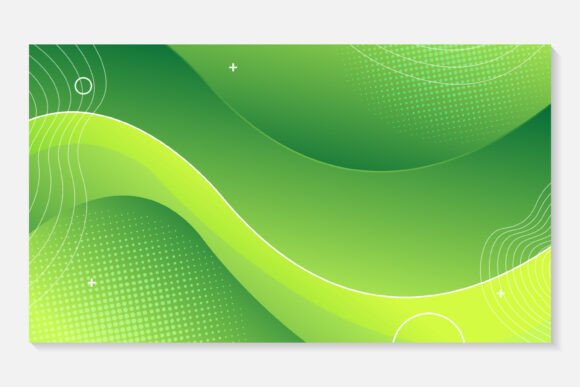
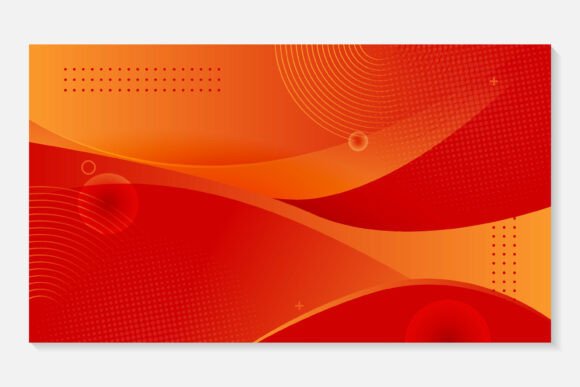
Orange and Red Gradient Wave Shapes is a curated collection of 100 scalable vector illustrations featuring fluid, organic wave forms rendered with smooth transitions between warm-toned hues—primarily orange, coral, terracotta, and deep red. Unlike static geometric patterns or flat-color motifs, these shapes emphasize motion, rhythm, and visual warmth through carefully balanced gradients and curvature. Each wave is built as a clean, editable vector path—not rasterized or stylized with effects that limit flexibility. That distinction matters when evaluating design assets for long-term usability across projects.
What Sets This Collection Apart
At its core, Orange and Red Gradient Wave Shapes prioritizes editability without sacrificing aesthetic cohesion. The EPS 10 format ensures compatibility with industry-standard vector tools, especially Adobe Illustrator, where gradient stops, anchor points, and layer structure remain fully accessible. The JPEG preview serves only as a reference—not a working file—so users aren’t mistaking low-resolution previews for production-ready assets. Because all 100 waves are built in vector, resizing introduces no pixelation, blurring, or quality loss, whether scaling to a mobile app background (e.g., 375 × 812 px) or a large-format print banner (e.g., 48" × 96").
This contrasts with many “wave”-themed assets found in free resource libraries or marketplace bundles, where waves are often flattened into PNGs with fixed dimensions, embedded shadows, or non-editable gradient meshes. Those files may look polished at first glance but quickly reveal limitations when color adjustments or layout integration are needed. With Orange and Red Gradient Wave Shapes, changing the gradient from burnt orange to soft peach—or switching from linear to radial—takes seconds in Illustrator, not hours of manual recreation.
Where These Waves Fit—and Where They Don’t
These shapes excel in contexts where warmth, energy, and subtle movement support the message without dominating it. Think social media banners for wellness brands, podcast cover art emphasizing creativity or passion, or UI cards in fintech dashboards aiming to soften data-heavy interfaces. Their organic flow also works well behind typographic overlays—especially when text contrast remains high and alignment respects the wave’s natural curve.
They’re less suitable for minimalist branding systems requiring strict monochrome consistency, or for technical documentation where neutrality and clarity outweigh expressive flair. If your project relies on strict WCAG-compliant contrast ratios across all backgrounds, test individual waves against your palette early—some gradient endpoints may require slight lightening or darkening to meet AA standards at small sizes.
Comparison Across Formats and Use Cases
When comparing Orange and Red Gradient Wave Shapes to alternatives, consider three practical dimensions: format fidelity, color adaptability, and integration effort.
- Vector vs. raster wave assets: Raster-based wave PNGs or JPGs offer quick drag-and-drop use but break down when scaled beyond original dimensions or recolored via layer blending modes. Orange and Red Gradient Wave Shapes avoids this by delivering true vector paths—no workarounds needed.
- Pre-built gradients vs. flat-color vectors: Some wave packs ship with solid fills only, leaving designers to manually apply gradients. Here, gradients are built-in—but editable. You can delete them entirely, replace with spot colors, or adjust opacity stops without altering shape integrity.
- Single-wave files vs. grouped compositions: This collection delivers each wave as an individual EPS file—not layered scene templates. That supports precision placement (e.g., aligning one wave to a card’s top edge while rotating another for diagonal balance), but doesn’t shortcut complex layouts. You’ll still compose multi-wave scenes manually, which offers control but requires basic Illustrator familiarity.
Realistic Integration Examples
A freelance designer creating Instagram Story templates for a nutrition coach might use three waves from the set: one cropped tightly behind a headline (“Fuel Your Day”), a second rotated 15° as a subtle divider between bullet points, and a third scaled large and desaturated to serve as a soft background under a CTA button. All three retain crisp edges on both iOS and Android displays because they’re vectors—not upscaled JPEGs.
In contrast, a marketing team building a responsive website might embed a single wave SVG inline—converting the EPS to SVG via Illustrator’s “Export for Screens”—to ensure fast loading and CSS-controllable properties like fill-opacity or transform. That same file could later be reused in email headers or PDF reports without re-exporting.
For print designers preparing a conference brochure, the EPS files allow direct placement into InDesign layouts at native resolution. No need to worry about DPI warnings or interpolation artifacts common with raster imports—even at 300 DPI output.
Key Tradeoffs to Acknowledge
No design asset is universally optimal. Orange and Red Gradient Wave Shapes assumes access to Adobe Illustrator for full editing capability. While EPS files can open in other vector editors (e.g., Affinity Designer, CorelDRAW), some gradient mesh behaviors or transparency handling may vary slightly. Users relying exclusively on Canva, Figma (without plugins), or PowerPoint won’t access the editable vector layer structure—though exported PNG/SVG versions still function as static graphics.
The color range is intentionally warm and cohesive—not neutral or cool-toned. If your brand guidelines mandate blues, purples, or grayscale palettes, you’ll need to adjust gradients manually. That’s straightforward in Illustrator but adds a step compared to assets labeled “multi-color ready” with pre-built swatch variants.
Also note: this is a shape library—not a design system. It includes no typography pairings, spacing guidelines, or component examples. You bring the context; it provides the expressive element. That makes it flexible, but not turnkey.
When to Choose Orange and Red Gradient Wave Shapes
Consider this collection if you regularly work across multiple output formats (web, social, print), need reliable scalability, and prefer starting with editable source files rather than fixing raster limitations mid-project. It’s especially valuable if you’ve previously spent time redrawing or tracing wave elements from low-res references—or if clients request quick color variants during review rounds.
It’s also a strong fit if your workflow already includes Illustrator and you value consistency across deliverables. For example, using the same wave shape across a presentation deck, event banner, and email header creates visual continuity without needing separate licenses or style guides.
When Another Option May Serve Better
If your primary need is rapid prototyping in Figma or collaborative whiteboarding with non-designers, a set of SVG-based wave icons with built-in CSS variables (for dynamic color shifts) may integrate more smoothly. Similarly, if you’re building a design system requiring strict token-based theming, a parametric wave generator (e.g., using SVG filters or JavaScript-driven paths) offers more programmatic control than static EPS files.
And if budget constraints prevent investing in Illustrator—or if your team uses open-source tools exclusively—evaluate whether the time saved in editing justifies the software requirement. Sometimes, a well-organized SVG pack with documented hex values and responsive sizing classes delivers comparable results with lower tooling overhead.
Making the Decision Practical
Before selecting Orange and Red Gradient Wave Shapes, ask two questions:
- Will I need to resize, recolor, or reposition these waves across multiple formats? If yes, vector fidelity becomes a measurable efficiency gain—not just a feature.
- Do I have access to Illustrator—or am I comfortable converting EPS to SVG/PNG for other tools? If not, factor in the learning curve or handoff time required.
There’s no universal “best” wave asset—only what fits your current tools, timeline, and consistency needs. Orange and Red Gradient Wave Shapes meets a specific, well-defined niche: warm, organic motion expressed through editable, production-ready vectors. When that matches your project’s requirements, it removes friction. When it doesn’t, recognizing that early saves time better spent elsewhere.