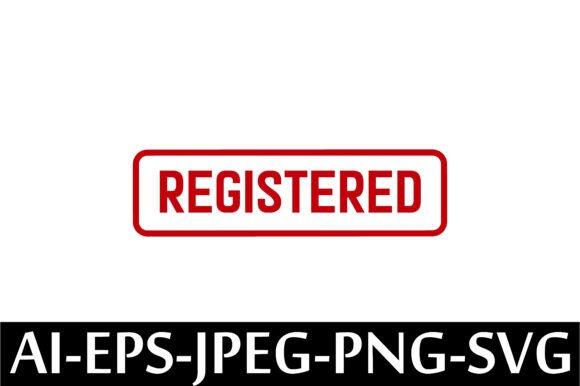
REGISTERED Rubber Stamp Design Vector
If you're looking for a clean, professional way to mark documents, packaging, or creative projects as official—without ordering custom hardware or waiting for shipping—you’ll appreciate this REGISTERED Rubber Stamp Design Vector. It’s not a physical stamp you hold in your hand. Instead, it’s a set of high-quality digital files designed to be used instantly in design software, printed on demand, or applied digitally across platforms.
This vector-based design gives you full flexibility: scale it to any size without losing clarity, recolor it to match your brand, or embed it into invoices, certificates, product labels, or marketing materials. Whether you run a small business, teach a class, manage client paperwork, or sell handmade goods online, having a “REGISTERED” marker adds legitimacy and polish at minimal effort.
What You’ll Actually Receive (No Surprises)
This is an instant download—no waiting, no shipping, no physical item. As soon as your purchase is confirmed, you’ll get a single ZIP file containing five ready-to-use formats:
- AI File – For full editing in Adobe Illustrator (layers, paths, and typography preserved)
- EPS File – Compatible with most vector editors and print services
- JPEG – High-res raster version for quick use in presentations or social media
- PNG – Transparent background, ideal for web graphics or overlays
- SVG – Lightweight and responsive; perfect for websites or cutting machines like Cricut and Silhouette
All files are pre-optimized—crisp edges, centered composition, and standard “REGISTERED” styling (clean sans-serif font, balanced spacing, subtle stamp texture or outline options depending on the design variant). No extra fonts or plugins needed.
Why This Fits Real Workflows
Think about the last time you needed to mark something as officially registered—maybe a certificate of completion for a workshop, a limited-edition print run, or inventory tags for a new product line. Printing a generic “Registered” label feels flat. A handwritten note lacks consistency. Ordering a rubber stamp takes days—and limits where and how you can apply it.
With this REGISTERED Rubber Stamp Design Vector, you control timing, placement, and context. A freelance graphic designer can drop it into a client’s branding guide. An educator can add it to digital diplomas before exporting as PDFs. A small-batch candle maker can layer it onto product stickers or use it as a watermark on Instagram posts showcasing new releases.
It also supports commercial use: you’re free to incorporate it into items you sell—like printable planners, branded stationery, or craft kits—as long as you don’t resell the vector files themselves as standalone digital assets.
Where It Works Best (and Where It Doesn’t)
This design shines in contexts where clarity, professionalism, and scalability matter:
- Small business operations: Add to invoices, compliance forms, or warranty cards
- Educational materials: Certify course completion, mark graded assignments, or label classroom resources
- Craft and maker communities: Brand handmade goods, tag Etsy listings, or create cohesive packaging
- Digital content creation: Watermark blog graphics, highlight key sections in Canva templates, or enhance Notion dashboards
It’s less suited for situations requiring tactile authenticity—like legal affidavits that mandate embossed or inked physical stamps—or for users who need custom text beyond “REGISTERED.” If you need variations like “Patent Pending,” “Copyright Protected,” or bilingual versions, check whether those are offered separately.
Getting Started Is Simple (Even If You’re New)
You don’t need advanced design skills to use this. Here’s how beginners typically begin:
- Unzip the folder — Make sure your device has unzipping software (most modern systems do by default; if not, free tools like 7-Zip or The Unarchiver work well).
- Pick your format — Use PNG for quick drag-and-drop into Word or PowerPoint. Choose SVG for web use. Open AI or EPS if you want to tweak colors or resize precisely.
- Insert and adjust — In Canva, drag the PNG or SVG onto your canvas and resize freely. In Illustrator, place the AI file and edit layers directly. In Cricut Design Space, upload the SVG and cut or print it on sticker paper.
- Apply with purpose — Don’t just add it everywhere. Try using it only where it reinforces trust: on final deliverables, limited-run items, or official documentation.
One practical tip: save a version with a light gray or semi-transparent fill if you plan to use it as a watermark—it stays visible but doesn’t overwhelm your main content.
Things to Keep in Mind Before Downloading
Since this is a digital-only product, there are a few practical considerations:
- You won’t receive anything by mail—this is purely for digital use or on-demand printing.
- The files are delivered instantly after purchase, so double-check your email spam folder if the download link doesn’t appear right away.
- Vector files require compatible software to edit fully—though PNG and JPEG versions work anywhere images are supported.
- While you may use the design commercially, you may not redistribute the source files or claim them as your own original artwork.
- If you're planning large-scale commercial printing (e.g., thousands of product labels), confirm color mode (CMYK vs. RGB) and resolution requirements with your printer first—though all included files are print-ready at 300 DPI.
This REGISTERED Rubber Stamp Design Vector bridges the gap between formality and convenience. It’s not flashy—but it’s reliable, adaptable, and quietly effective. Whether you're streamlining your workflow, building brand consistency, or simply adding a touch of authority to everyday documents, it’s a small tool that supports bigger goals—without slowing you down.