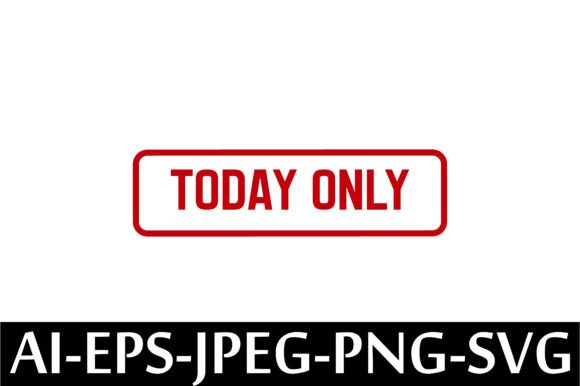
TODAY ONLY Rubber Stamp Design Vector
When time-sensitive messaging matters—whether for promotions, deadlines, limited offers, or urgent internal updates—a clear, professional, and instantly deployable visual cue makes all the difference. The TODAY ONLY Rubber Stamp Design Vector is a purpose-built digital asset designed to support fast, consistent, and scalable communication across physical and digital touchpoints. It’s not just decoration—it’s a functional design element that integrates directly into real-world workflows where clarity, urgency, and brand alignment are non-negotiable.
What This File Set Actually Delivers—and Why Format Variety Matters
This listing provides five distinct file types: one AI (Adobe Illustrator), one EPS, one JPEG, one PNG, and one SVG—all delivered in a single ZIP archive. Each format serves a specific role in execution:
- AI and EPS files preserve full vector scalability and layer integrity—ideal for designers who need to edit colors, resize without pixelation, or embed the stamp into larger branding templates (e.g., sales flyers, email headers, or packaging mockups).
- SVG is optimized for web use: it loads quickly, scales responsively on any screen, and works natively in modern CMS platforms, email builders, and no-code tools like Webflow or Squarespace.
- PNG includes a transparent background, making it ready for immediate placement over photos, presentations, or social media graphics without manual cleanup.
- JPEG offers broad compatibility for quick insertion into documents, printed handouts, or legacy systems that don’t support vector or transparency.
Having all five formats eliminates format-hunting mid-project. You’re not choosing between “what looks good” and “what works”—you’re equipped to move from concept to output without re-exporting, converting, or compromising quality.
Where It Fits in Your Workflow—Before, During, and After
The TODAY ONLY Rubber Stamp Design Vector isn’t used in isolation. Its value emerges when aligned with timing-driven actions:
Before Launch or Promotion
Use the AI or EPS file early in your design phase to lock in color matching, spacing, and hierarchy alongside your main campaign assets. Test how the stamp interacts with fonts, backgrounds, and CTAs—not as an afterthought, but as part of your visual system. For example, if you’re building a Black Friday email series, drop the SVG into your email template builder *before* finalizing copy, so layout adjustments account for its presence and weight.
During Production
When preparing print-ready materials (brochures, shelf talkers, or in-store signage), embed the EPS version directly into InDesign or Illustrator files. That ensures crisp output at any size—even on large-format banners—without risking raster distortion. For digital ads, export a tightly cropped PNG at exact dimensions required by Meta or Google Ads, avoiding extra whitespace that could trigger platform warnings.
After Deployment
Once live, reuse the same vector source across follow-up assets: add it to thank-you pages, post-purchase PDFs, or customer service replies to reinforce time-bound value. Because the files are yours to use commercially, there’s no need to re-license or seek permission—you maintain consistency across channels without friction.
Integration With Common Tools and Platforms
This vector set works seamlessly within standard creative and operational stacks:
- Adobe Creative Cloud users can open AI/EPS files directly in Illustrator or place them into Photoshop or InDesign with full editability.
- Canva users can upload the PNG or SVG for drag-and-drop use—no design expertise needed. Just ensure your Canva plan supports SVG import (available on all paid tiers).
- Print-on-demand services (like Printful or Gelato) accept PNG or JPEG uploads for product mockups; use the high-res PNG to preview how the stamp appears on mugs, notebooks, or tote bags before ordering samples.
- Learning & training teams often apply this stamp to certificates, workshop agendas, or internal deadline trackers—adding visual urgency without redesigning entire templates.
Compatibility isn’t assumed—it’s built in. No plugins, conversions, or third-party validators are required. If your device handles ZIP files and supports common image or vector formats (which nearly all do), you’re ready to implement.
Practical Tips for Reliable, Repeatable Use
Here’s what experienced users consistently do to avoid delays or inconsistencies:
- Unzip immediately upon download—don’t wait until you need it. Store the folder in a dedicated “Urgency Assets” subfolder within your brand resources library. Name it clearly (e.g., “TODAY-ONLY-Stamp-v2024”) to distinguish versions if you later customize it.
- Test transparency in context: Drop the PNG onto a dark and light background in your design tool. Confirm edges render cleanly—especially if using it over photography or gradients.
- Check color mode: The AI/EPS files are typically CMYK-ready for print, but verify before sending to a commercial printer. For digital-only use, RGB is appropriate—and the SVG and PNG defaults align accordingly.
- Scale with intention: While vectors scale infinitely, legibility depends on context. On a mobile banner, keep the stamp under 120px wide; on a trade show backdrop, go up to 800px—but always preview at actual display size.
- Document usage rights internally: Since resale and derivative use are permitted, note in your team’s style guide that this asset may be applied to client deliverables or merchandise—no attribution required.
Long-Term Usability and Quality Control
Unlike raster-based stamps that blur when enlarged or degrade with repeated saves, vector files retain fidelity indefinitely. That means the TODAY ONLY Rubber Stamp Design Vector remains usable years from now—even as your brand refines its palette or typography. To future-proof further:
- Save a backup copy outside cloud sync folders (e.g., on an external drive or archival cloud service).
- If you modify the AI file (e.g., changing “TODAY ONLY” to “24 HOURS ONLY”), save the edited version with a new filename—never overwrite the original.
- Periodically audit where the stamp appears across live assets. A quick site-wide search for the PNG filename or SVG class name helps spot outdated placements.
Consistency isn’t about repetition—it’s about reliability. When every team member knows exactly where to find a trusted, production-ready stamp, fewer last-minute requests bottleneck approvals, and messaging stays aligned across departments.
Getting Started Is Literally One Click Away
This is an instant-download digital product—no shipping, no waiting, no physical inventory. Once purchased, files appear in your account dashboard and email confirmation. There’s no learning curve, no subscription, and no recurring fee. You own the license outright for commercial use, including resale of items you produce with it.
That immediacy matters most when timing is tight: a flash sale starts in two hours, a client needs revised proofs by noon, or a classroom activity requires printed materials before first period. The TODAY ONLY Rubber Stamp Design Vector removes setup delay—not just from design, but from decision-making itself. You’re not buying a graphic. You’re acquiring a repeatable, integrated step in your process for communicating urgency—accurately, professionally, and without compromise.